
Run your blinds business. Better.
One connected system for the office, the fitter and the workshop — every job, customer and payment on one record, from the first quote to the final fit.
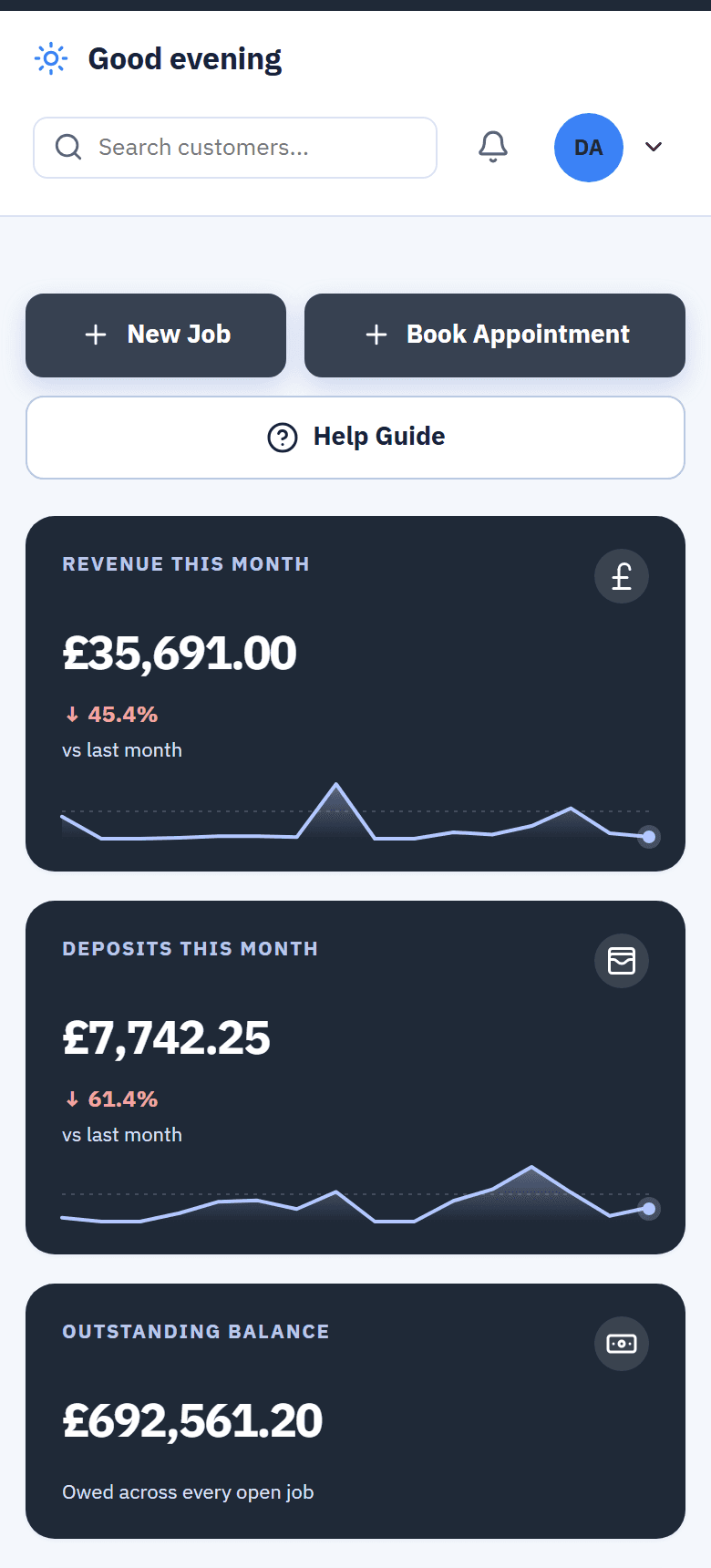
- Job sheets on the fitter’s phone — offline, priced from your own catalogue
- One customer record from the first enquiry to the review
- Team Hub — questions stay on the job, not in a group chat
- A dashboard, calendar and reports that agree with each other
- Built in a blinds business
- Job sheets work offline on-site
- Your catalogue loaded for you
- Real role-based access
Every role opens the screen it needs — and nothing it doesn't.
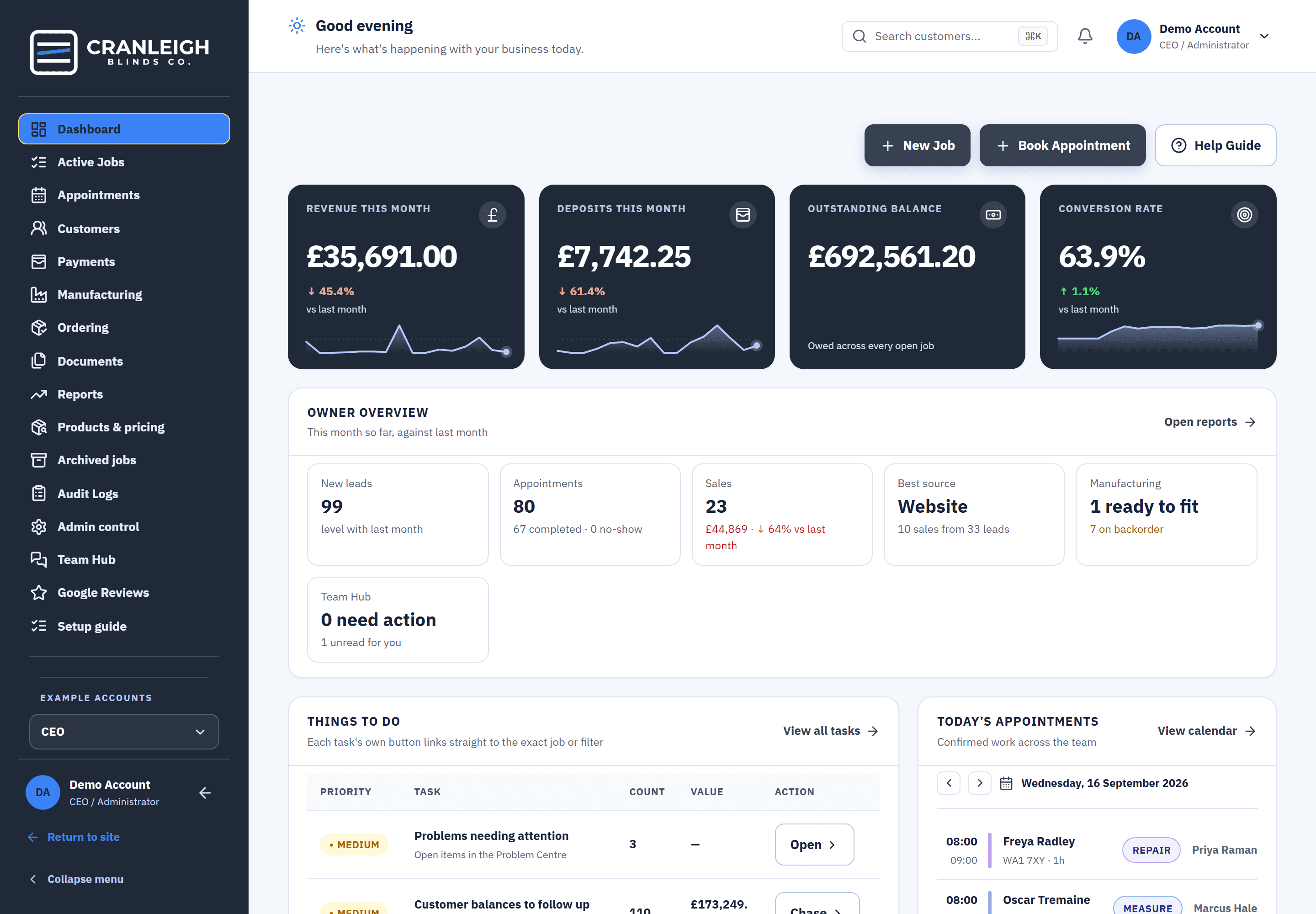
Owner: the whole business at a glance.
Revenue, deposits, outstanding balance, conversion, today's visits and the things that need a decision — the moment you log in, not after you go digging.
- Dashboard · Reports · Revenue trend
- Ready to book queue
- Append-only audit trail
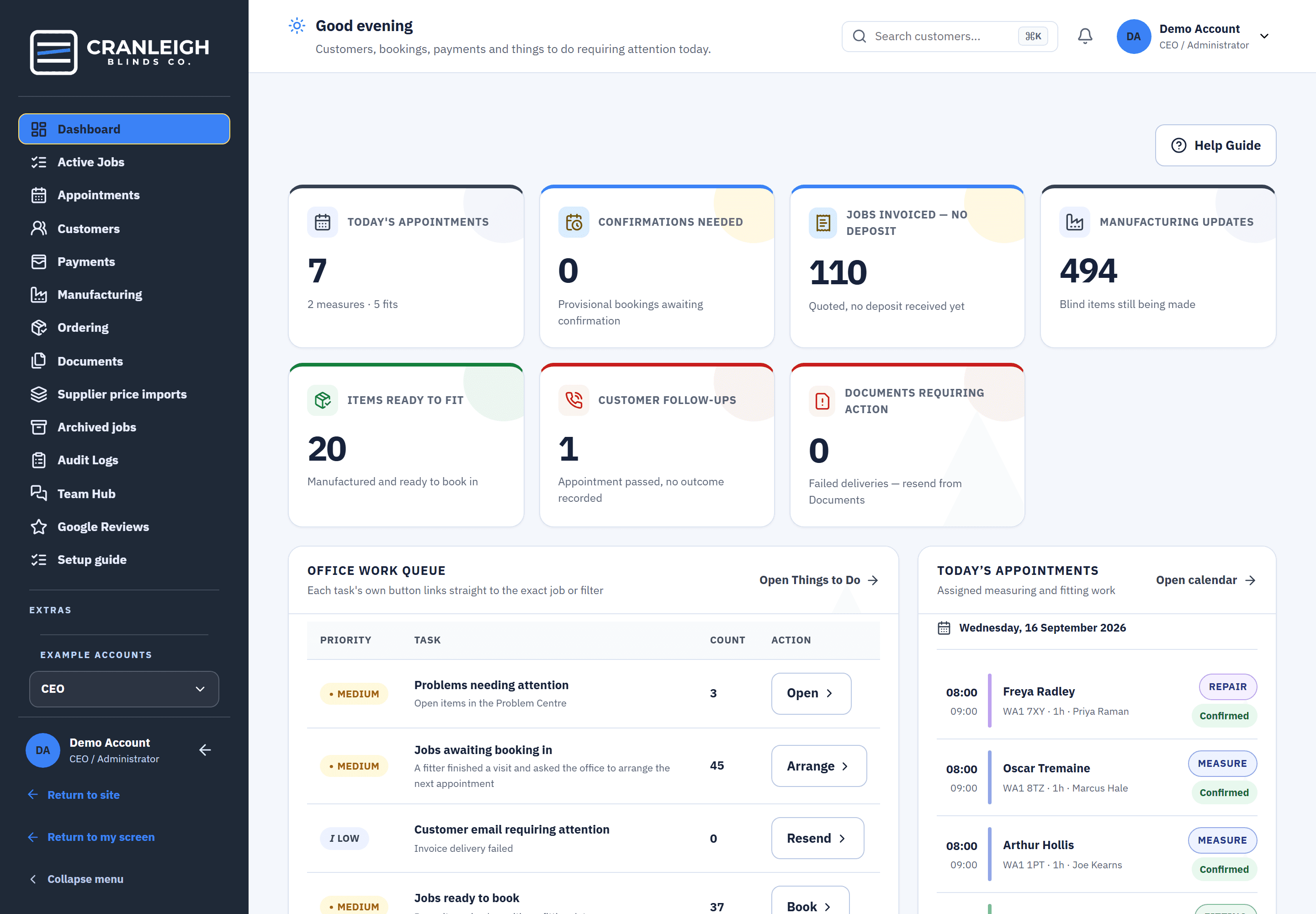
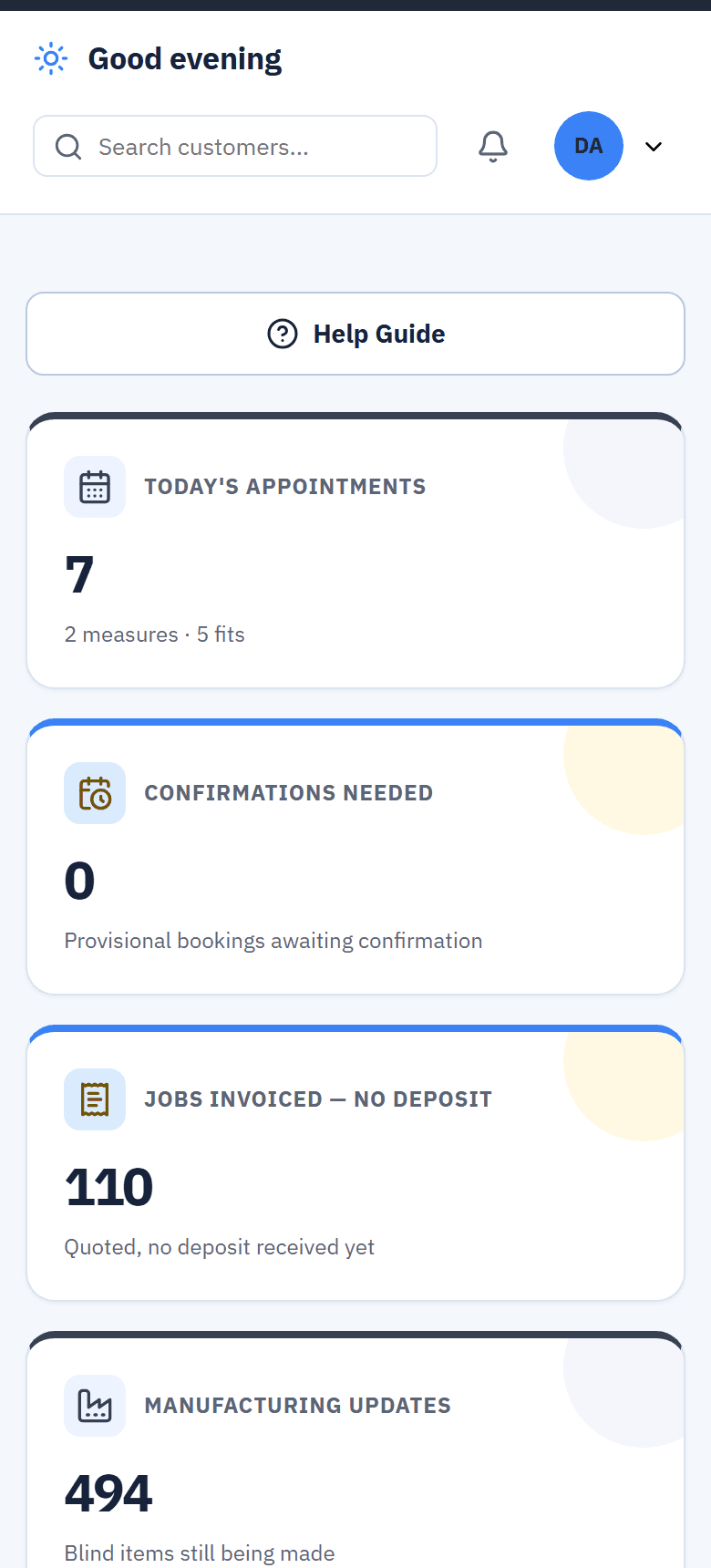
Office: what needs doing today, in one list.
Today's appointments, confirmations needed, jobs quoted with no deposit, blinds still being made, customers to follow up — each task's own button goes straight to the job.
- Office work queue · Things to do
- Calendar that catches double-bookings
- Customer 360 for every call
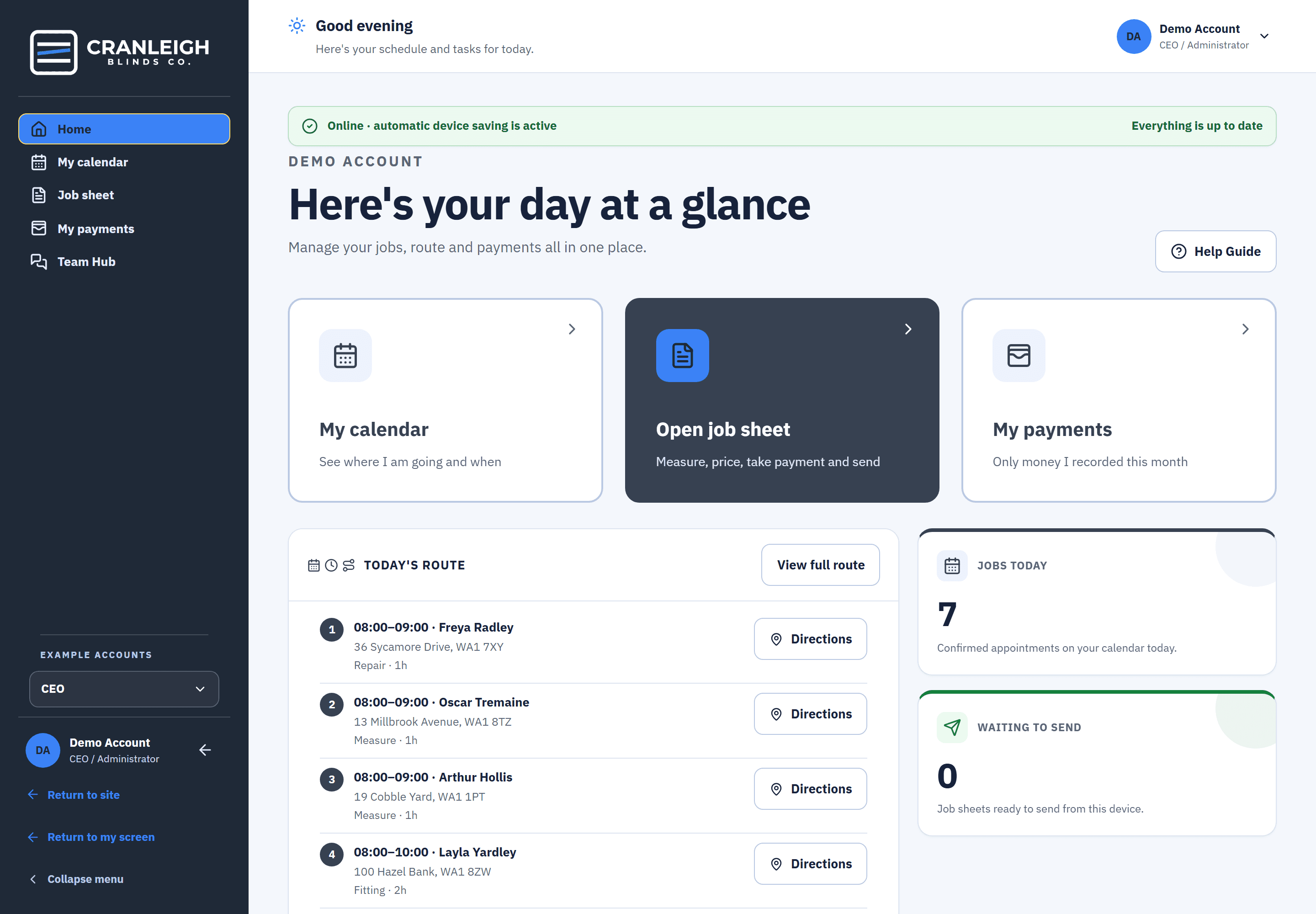
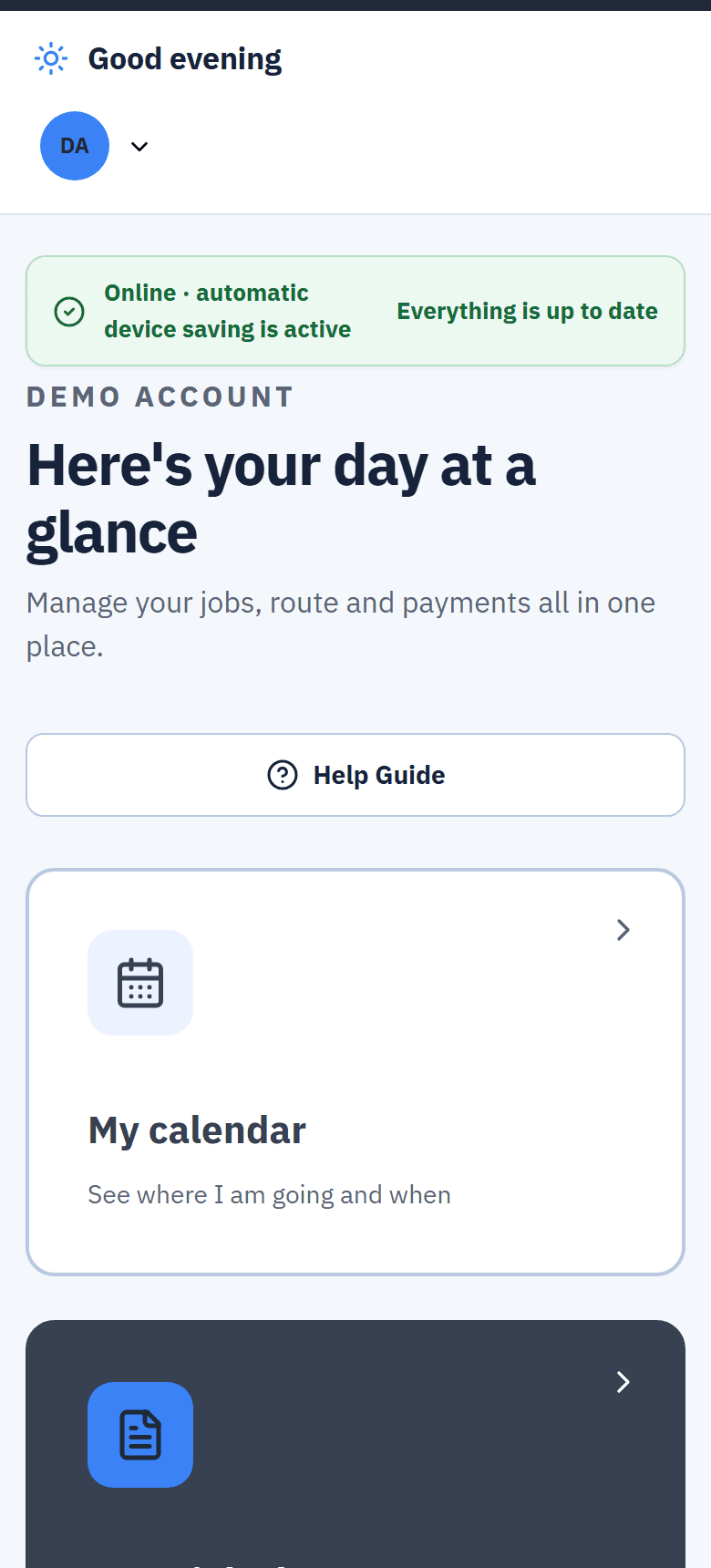
Fitter: today's route, the job sheet, and a way to ask the office.
The day's stops in booked order, the job sheet that measures, prices, takes the signature and the deposit — offline if needed — and Send to Team Hub for the question that cannot wait.
- Job sheets work with no signal
- Measure, price, sign and take payment on the phone
- Send to Team Hub from the doorstep
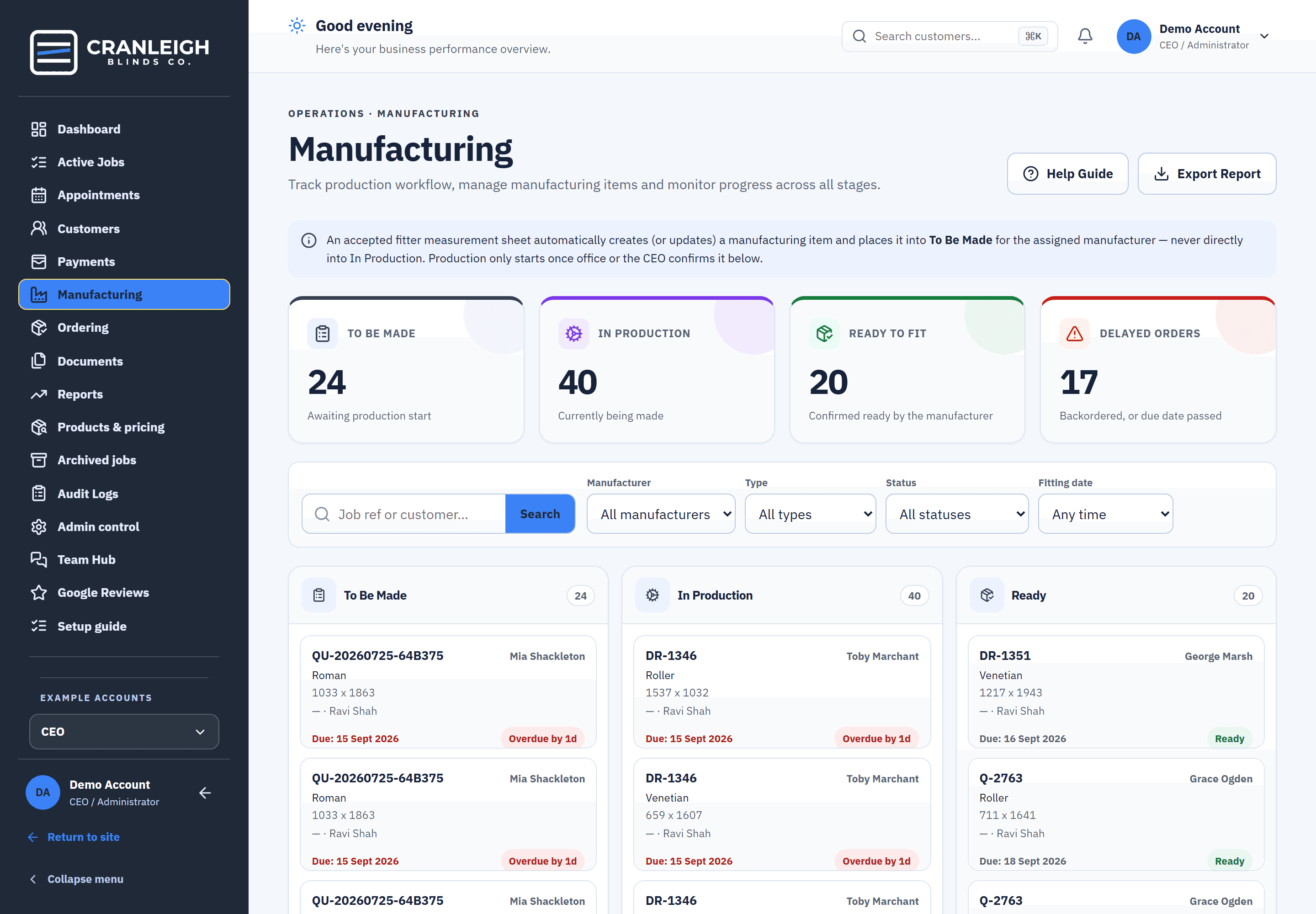
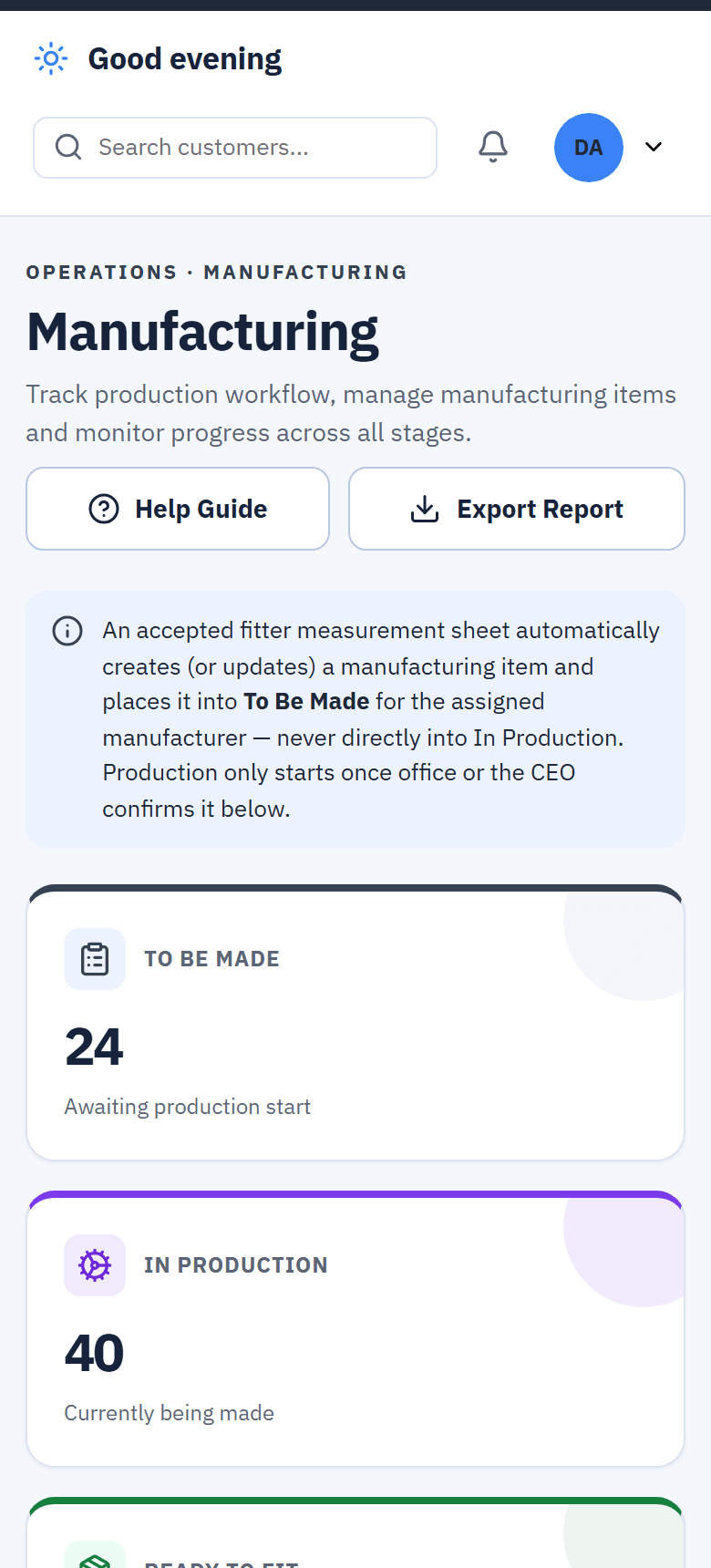
Manufacturing: the board, from to be made to ready.
Every blind from an accepted job sheet lands on the board — to be made, in production, ready — with due dates, overdue and backorder flags, and nothing re-typed from the fitter's measurements.
- Made from the fitter's measurements
- Backorders and overdue orders flagged
- Ready to fit tells the office
What would you do with more hours in your day?
This is a Tuesday. You were out measuring and fitting. Blinds Base did the parts of the day that used to wait for someone to get back to a desk — replying to the lead, sending the reminders, drafting the email, chasing the review — and wrote each one down, so you can see what happened.
Nothing here needs a new habit. The diary, the customer record and Reports are the same ones your office already uses; Blinds Base just fills more of them in for you.
You didn’t have to do any of that by hand.
- Built-in help and reminders on every plan
- Booking automation is an optional Extra
The admin used to wait for the evening. It doesn’t have to.
| 7pm, at the kitchen table | What happened instead |
|---|---|
| Answered within minutes, while you were out measuring | |
| Sent from the fitter's phone, signed on the doorstep | |
| Went out on their own this morning | |
| Asked for automatically once the job was paid | |
| Already in Reports, source by source |
7pm is yours again. The laptop stays shut. Dinner with the family, the match, an early night, a walk — whatever your evening is for, it isn’t this.
A Facebook lead asks for a quote
Facebook AI Booker · ExtraYou’re driving to your first appointment.
Hi, can I get someone out to measure for shutters?
Of course. We can come out this week — would Thursday 10:00 or Friday 14:30 suit? Both are free in our diary.
Thu 10:00Fri 14:30
Thursday works.
10:00Measure · shutters · booked by Facebook AI Booker
11:00
- Lead source
- Booked by
- Facebook AI Booker
Replies within minutes, offers real slots from your live diary, and books the one they pick — with your approval, or on its own if you switch that on. Calendar updated, customer record created, source recorded.
- Reminders sent for tomorrow's four appointmentsSent on their own · Built inDone
- Email enquiry answered — reply drafted for the officeReal slots in it; approved in one click at 10:41 · Gmail Auto Booker · ExtraDone
- Fitter's price query sent to Team Hub, with the sheetYou were up a ladder; the office answered at 12:31 · Built inDone
- Job marked ready by manufacturingMoved into Ready to Book on its own · Built inDone
- Review request sentYesterday's fit, paid in full · Built inDone
- You open Reports: 3 leads, 2 booked, 1 by Facebook AI BookerWhere each came from, what it turned into, what it was worthOpen →
Built in On every plan, from day one of the trial
- Blinds Base AI — how-do-I help that knows the screen you're on
- Appointment confirmations and reminders, sent on their own
- Review requests once a job is paid, when you switch them on · Team Hub alerts to the right person
- Reports that show lead source and who booked what
Automation Extras £99/month each, or all three for £249
- Facebook AI Booker — replies, qualifies, offers real slots, books
- Gmail Auto Booker — drafts every reply for review; sends on its own if you choose
- Calendar Auto Booker — customers pick a real slot on your own site
Two carry a small usage cost. All three stay locked during the free trial. Included AI credit each month; Blinds Base AI pauses rather than overspends.
A blinds business runs on scraps. Here is what each one becomes.
Built in a blinds business. Not a software office.
Before
One connected system.
- Customer 360
- Team Hub
- Calendar
- Products & pricing
- Manufacturing
- Payments
- Reports
- AI
- Calendar + Customer 360
- The office books the customer and assigns the fitter. The calendar, the fitter's day and the customer's record all update together.
- Team Hub
- A fitter sends the job sheet straight into Team Hub, tags the person in the office they need, and the answer stays on the job.
- Products & pricing
- Change one price in seconds, move every price under a blind type by a percentage in one go, or import a supplier's new price list.
- Facebook AI BookerExtra
- A Facebook enquiry that arrives at 10pm gets an answer from Blinds Base AI and can be moved towards a booked measure — before anyone is back at a desk.
One customer. One connected journey.
As you scroll the stages, the screen that does each one appears here. The job never leaves the customer's record.
- Enquiry
- Appointment
- Measure, product, price
- Quote, signature, deposit
- Manufacturing
- Ready to book, fitting, final payment
- Review, complete
Running under every step
Customer 360Every step lands on the same customer record — the enquiry, the visits, the quote, every payment. Nobody asks where a job is up to.
Team HubFitter stuck on site? Send to Team Hub — the office gets the question already linked to the job.
Enquiry
A Facebook lead, an email or a website booking lands in the CRM. Done in Customers.
- Enquiry, done in Customers
- Blinds Base AI, done in Facebook AI Booker · Extra
- Customer, done in Customer 360
Appointment
Booked into the diary — no double-bookings. Done in Calendar.
- Appointment, done in Appointments
Measure, product, price
Captured on site, offline if needed; priced from your own bands the moment the fabric is picked. Done in the Fitter workspace.
- Fitter, done in Fitter workspace
- Measurements, done in Fitter workspace
- Product + fabric, done in Products & pricing
- Price, done in Products & pricing
Quote, signature, deposit
Signed on the fitter's screen; the deposit taken and chased automatically; bought-in blinds ordered from the sheet. Done in Documents, Payments and Ordering.
- Quote, done in Documents
- Signature, done in Fitter workspace
- Deposit, done in Payments
- Office processing, done in Ordering
Manufacturing
Made from the fitter's measurements — nobody re-types them. Done in Manufacturing.
- Manufacturing, done in Manufacturing
Ready to book, fitting, final payment
The office sees who is waiting, books the fit, and the balance goes to zero. Done in Calendar and Payments.
- Fitting, done in Appointments
- Final payment, done in Payments
Review, complete
Asked for once the job is paid — when you switch it on — and the job lands in your figures. Done in Reviews and Reports.
- Google review, done in Reviews
- Complete, done in Reports
Keep the whole team on the same page.
Every conversation lives on the customer, job or document it is about. Ask from the doorstep, get the answer in Team Hub, and find it where the next person will look — not in a group chat or somebody's head.
Handovers
A fitter hands a job to the office with one message, linked to the job itself — the sheet, the photos and the measurements travel with it.
GFGary → OfficeJOB-2931 attached“Measured and signed. Keys with the neighbour at no. 46 for the fitting — chain right on both.”
Mentions and action required
@mention a colleague and Team Hub tells them. Mark a conversation as needing action and it stays in the inbox until it is done.
Blinds Base · nowGary mentioned you — JOB-2931 · “Can you verify this price?”Action requiredOne inbox
Unread and needs-action counts for you, every conversation named by its job, and search across all of it.
Team Hub3 unread1 needs actionS. Johnson · Lounge blind · Rachel: “Checked — £231.00 is right.”48 Mill Road · Ink Navy ×2 · Gary: “keys with the neighbour”Quiet hours
Notifications hold overnight and land in the morning. Each person sets their own hours; an urgent message still gets through.
Quiet hours · 18:00 – 08:00Held overnight · 2 messagesLand at 08:00
Book a visit here. Watch it land in Blinds Base.
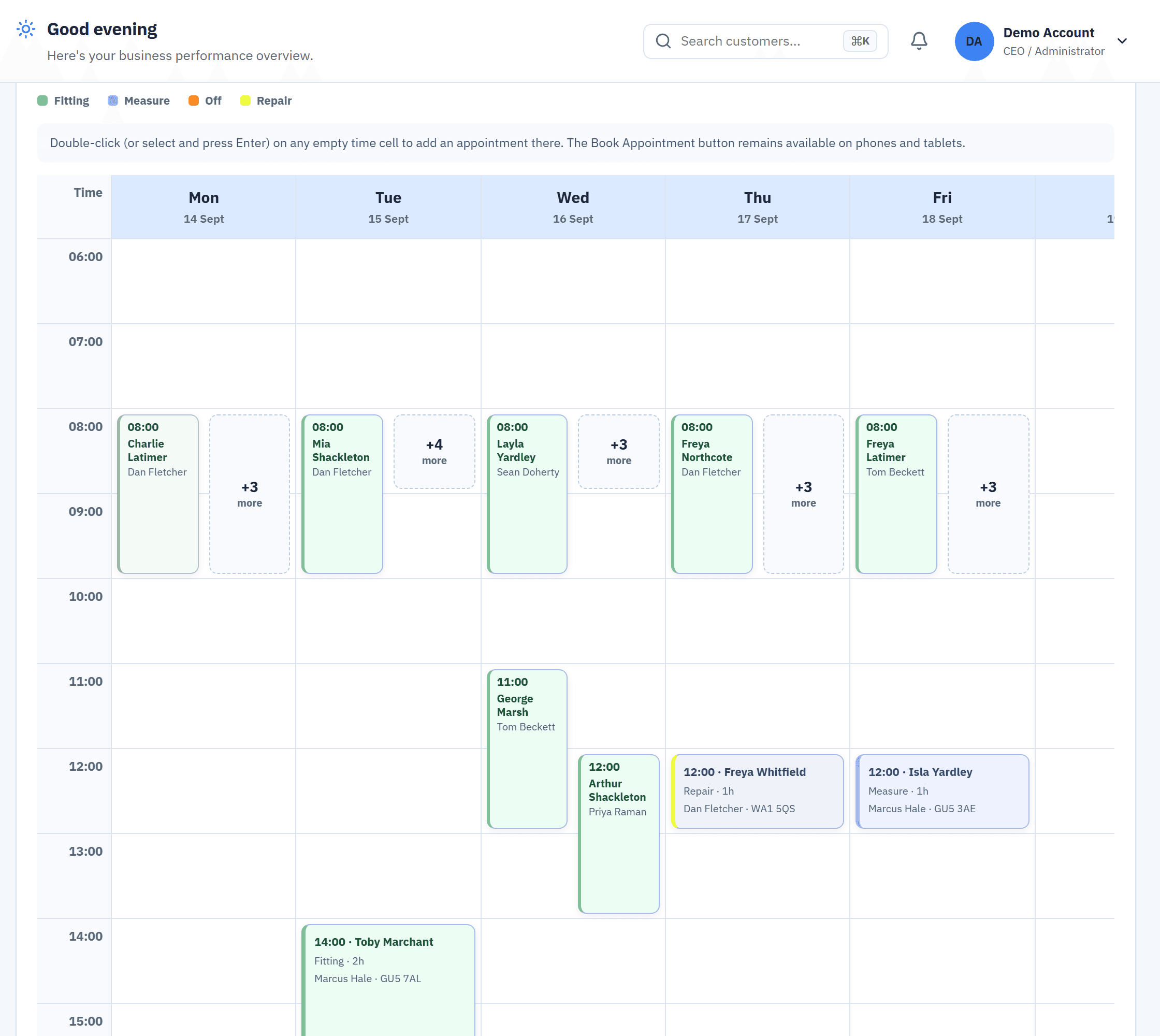
Pick a real slot from the demo business's live diary, then open the live demo and find the appointment you just made — this is the same calendar the office uses, week view, fitter by fitter.
No sign-up. The form that opens is the Calendar Auto Booker — the optional extra that puts this booking form on your own website. The booking goes into the demo business's diary for your visit only — nothing is written to any real business.
Automation doesn’t stop when the appointment is booked.
A lead Blinds Base follows up becomes a booking, a customer, a job, a job sheet, a fit, a payment, a review — and a line in Reports. One system, not a chat tool bolted on the side.
- Blinds Base AIReads the lead, checks the diary, replies
- BookingWith your approval, or on its own
- CalendarReal slot, source recorded
- Customer 360One record for everything after
- JobCreated from the measure
- Job sheetSigned on the phone
- ManufacturingReady to Book, on its own
- FittingSheet on the fitter's phone
- PaymentRecorded against the job
- Review requestSent on its own when paid, if switched on
- ReportsThe whole line above, added up. Let Blinds Base do the chasing. Then see what it did.
Automation is only useful if you know what it’s doing.
Every booking records who or what made it. Reports break leads, bookings, quotes, sales and revenue down by where the lead came from and who booked it — the office, a fitter, your website, or Blinds Base AI.
- Overview
- Leads & Marketing
- Sales
- Appointments
- Fitters
- Payments
- 47Leads received
- 29Booked
- 62%Conversion
- 11 minMedian first reply
| Lead source | Leads | Booked | Booked by | Sales | Share |
|---|---|---|---|---|---|
| 19 | 13 | Facebook AI Booker · 11 · Office · 2 | £8,420 | ||
| Website | 12 | 9 | Calendar Auto Booker · 9 | £5,960 | |
| 7 | 3 | Gmail Auto Booker · 2 · Office · 1 | £2,150 | ||
| Phone & walk-in | 9 | 4 | Office · 4 | £3,300 |
Two plans. Same features. Only the number of accounts differs.
Basic and Standard do exactly the same things — the only difference is how many people can log in. The Extras are optional, and each one works on its own.
Basic
£99 first month
then £149/month
1 account
Built for one-person businesses — hard-capped at 1 account by design
- Full CRM & job management
- Appointments & calendar
- Customers & Customer 360
- Quotes, invoices & payments
- Manufacturing & ordering
- Documents & reports
- Email notifications
Standard
£199 first month
then £249/month
Up to 25 accounts (+£10/mo each beyond)
Built for a growing team — up to 25 accounts included from day one
- Full CRM & job management
- Appointments & calendar
- Customers & Customer 360
- Quotes, invoices & payments
- Manufacturing & ordering
- Documents & reports
- Email notifications
Extras
£99 /Extra/month
+ applicable usage
All three together: £249/month — save £48 on £297
Explore ExtrasThe Facebook AI Lead Booker and Gmail Auto Booker also carry a genuine usage cost on top of the £99/month, driven by real AI usage — never by normal, everyday CRM activity. The Facebook AI Lead Booker's usage is shown on your account's own usage dashboard. Its dedicated SMS number is separate and optional: if you take one, it's £2.50 a month for the number itself, plus 5p per text you send and 1p per text you receive (a text longer than 160 characters counts as two or more, or longer than 70 if it has an emoji — that is how the phone networks and our SMS partner count texts, not a Blinds Base rule). The Calendar Auto Booker is flat at £99/month, nothing added.
Built on trust, not promises.
Data isolation
Strict tenant isolation enforced at the database and application layers.
Encrypted credentials
Third-party credentials and secrets are encrypted at rest.
Deletion and export
A published deletion process, and CSV export of your own data.